Engineering / Document AI
The right number can still be the wrong answer
Three times a check in Nila's invoice extraction told me less than I thought it did, and what I changed because of it.
An invoice extractor can give back valid JSON, with numbers that really are printed on the bill and totals that add up, and still be wrong. A tax amount can land in the taxable value field, or one combined GST figure can get split into CGST and SGST and double the tax.
That was the hardest part of building Nila’s extraction. Reading the text off a page was only one part of it. The other part was knowing what each of my checks actually proved. So, here are three times a check told me less than I thought, and what I did about each one.
Product overview · Extraction code
How Nila reads a month of bills
A client’s PDF can hold several invoices, second pages, quotations and other things, so Nila first works out which pages belong to which document. Then it reads each invoice with a vision model into a strict JSON schema. After that, Elixir code checks the GSTINs, tax and arithmetic, and the accountant reviews each invoice next to its original page.
A strict schema only tells you the answer has the right shape. It can’t tell you a number is in the right field, so what the fields mean matters a lot. A field just called tax doesn’t say whether it’s line tax or invoice tax, combined GST or one component, printed or calculated. Nila’s schema records the tax components exactly as they’re printed, with their labels, rates and amounts, and the Elixir code works out the accounting from there. If a bill prints one combined GST amount, that’s what gets recorded. Splitting it into CGST and SGST is a calculation, and it shouldn’t show up looking like something read off the bill.
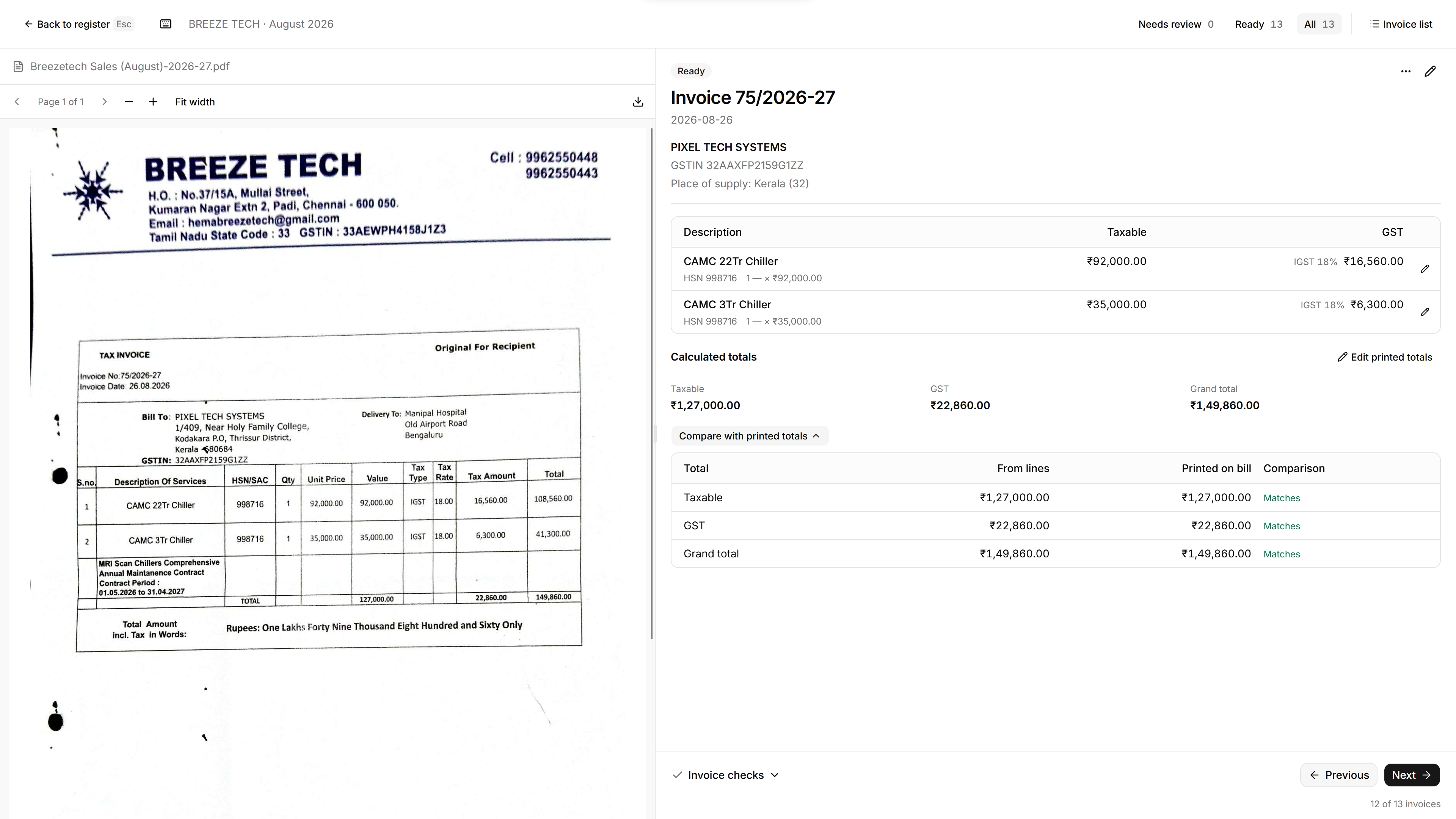
This bill prints a GST total of ₹22,860.00, and Nila captures ₹22,860.00:
Printed on the bill
Extracted by Nila
That match is one check. It doesn’t prove that every line and tax component went into the right place.
Schema and decoding · Printed tax interpretation
A clearer schema that did worse
I tried a format that kept the tax breakdown separate from its combined total, and a second version that also swapped the compact item arrays for named fields. I ran five bills I’d already checked by hand, five times each, through all three formats. That’s 75 requests, and one timed out.
| Format | Faithful printed summaries |
|---|---|
| Earlier tax list | 18 / 25 |
| Separate breakdown and total | 10 / 25 |
| Same, with named item fields | 7 / 24 |
A response only counted if it kept exactly the tax figures printed in the invoice summary, including not adding ones that weren’t printed. Totals that just added up didn’t count. The new formats kept turning one combined tax amount into two components, which doubled the tax.
So I dropped both and left production as it was. It’s only five bills from two suppliers, and I changed the instructions and examples along with the schema, so this says little about extraction accuracy in general. But it was enough to show that the format that looked cleaner to me was worse for the model.
A verifier that caught 1 error in 17
Finding an extracted number somewhere on the invoice only tells you it’s on the page. It doesn’t tell you whether it’s the unit price, the taxable value, a tax component or the grand total, and invoices repeat the same numbers a lot.
In August I tried building a stricter verifier. It indexed every value the OCR found, tried to tie each extracted field to a label, row and column on the page, and gave each invoice a readiness verdict. Bit by bit, it turned into a layout-specific extractor built around the model, with guessed table structure, vague labels like “Amount”, and matching by distance.
To test it, I kept the model’s answers and the OCR fixed, so only the verifier changed. I labelled 15 purchase invoices from my parents’ business by hand, 200 values in all: 170 correct, 17 wrong even though the OCR had read the page correctly, and 13 wrong because of the OCR.
The verifier already running, a small fix to it, and the full new verifier each caught 1 of those 17. The new one also rejected some correct values, and still let wrong ones through when the same number showed up somewhere else on the page. So I removed it.
Full comparison and removal decision
A check that looked better by deleting evidence
The same test showed a problem in the verifier that was already running. When a value failed the source check, it removed the value and then checked the smaller invoice again, which could now pass. Before the deletion, 22 invoices were flagged. After it, only 13 were. Nine invoices looked better because the sign that something was wrong had been deleted.
In one of them, the table had CGST, SGST and taxable value in separate cells: 268.26 | 268.26 | 2980.80. The checker stripped the spaces between digits, got 268.26268.262980.80, couldn’t find any of the three values, and removed them. A correct reading ended up with zero CGST and SGST.
So “how many passed?” isn’t a good measure on its own. I also had to ask which correct values were lost and which wrong ones got through.
What I kept
In the product, each part has a narrow job. The model returns structured readings and where they came from. Elixir code checks the arithmetic and identifiers. The sales code owns corrections, tax and what’s ready to file. And for every invoice, the accountant sees the original bill next to the draft. That won’t catch every wrong field, but when something does go wrong, I can tell which part it came from.
The main thing I took from all this is to be exact about what a check claims. If it checks that a value is on the page, call it a presence check. If something claims to verify meaning, test it on wrong values that really are on the page. And if a bigger system fails that test, take it out.